Manufacturing is one of the industries we work with most closely at Austral Dynamics, and it’s also one where the gap between a generic accounting system and a properly configured ERP shows up fastest. When production, inventory, and finance run in separate systems — or worse, partly in spreadsheets — the business loses the real-time picture it needs to control cost and output, not just report on them after the fact.
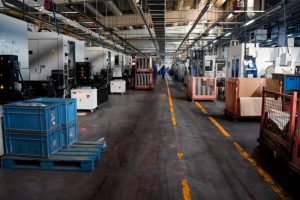
Why Disconnected Systems Cost Manufacturers More Than They Realise
A lot of manufacturers run a patchwork setup that grew organically over the years: an accounting package for finance, a separate spreadsheet for production scheduling, another for inventory counts, and a shop floor that reports progress on paper or in a system nobody else can see. Each piece works in isolation, but nothing talks to anything else — which means nobody has a single, current view of what’s actually happening on the floor versus what the books say.
That gap shows up in real, costly ways: production runs scheduled without accurate visibility into raw material stock, machine downtime that isn’t tracked well enough to spot a recurring pattern, and job costing that only gets reconciled weeks after a batch is finished — by which point it’s too late to do anything but note the margin was thinner than expected.
Production Planning That Reflects Real Capacity
Dynamics 365 Business Central’s manufacturing functionality lets businesses plan production against actual machine and labour capacity, not a theoretical schedule that assumes nothing ever goes wrong. Bills of materials, routings, and work centre capacity are all connected, so a production plan reflects what the floor can genuinely deliver, and material requirements planning can flag shortages before they stall a run rather than after.
For manufacturers juggling multiple product lines or custom orders alongside standard production, this connected planning approach makes a meaningful difference — instead of scheduling based on gut feel or last month’s pattern, planning is grounded in what’s actually in stock, on order, and available on the floor right now.
Tracking Downtime and Understanding Why It Happens
Unplanned downtime is one of the most expensive, least visible costs in manufacturing, precisely because it’s rarely tracked systematically. Business Central can capture downtime against specific machines, work centres, or reasons, building a real historical record over time rather than relying on a supervisor’s memory of “that machine’s always playing up.” That record makes it possible to actually identify patterns — a specific machine failing more often on a particular product run, or a consistent bottleneck at one stage of the process — and address the root cause rather than just absorbing the cost each time it happens.
Real-Time Cost Visibility, Not Month-End Surprises
Job and production costing in Business Central updates as materials are consumed and labour is recorded, rather than waiting for a manual reconciliation at month-end. That means a production manager can see how a run is tracking against its expected cost while it’s still in progress, not three weeks later when the only option left is to note the variance for next time. For manufacturers operating on thin margins, that earlier visibility is often the difference between catching a cost blowout mid-run and only discovering it once the damage is already done.
A Real Example: Ongoing Enhancement, Not a One-Off Project
Our long-standing relationship with FRANKE Australia is a good example of what this looks like in practice over time, not just at initial go-live. As Kevin Bergman, General Manager at FRANKE Australia, put it: “We have a strong partnership with Austral Dynamics and have worked together on several large projects that are outside our normal Navision activity… The expertise and support that the team at Austral Dynamics has brought to this activity has resulted in fantastic project execution and Austral Dynamics adding a lot of value to our business.” That partnership has included work like customer web portals, additional EDI integrations, and connecting freight and logistics tools like MachShip directly into their environment — the kind of ongoing enhancement that keeps a manufacturing ERP genuinely useful as the business evolves, rather than freezing in place after the initial implementation.
Where AI Fits on the Production Floor
Microsoft Copilot within Business Central can help manufacturing teams summarise production and quality data, flag anomalies worth investigating, and generate plain-language reports from what would otherwise be raw production figures. For a production manager without a dedicated analyst team, that’s a meaningful step up in the kind of insight available day to day, without requiring a separate business intelligence project to get there.
Frequently Asked Questions
1. How does Dynamics 365 Business Central support manufacturing businesses?
Business Central provides production planning, bills of materials, work centre capacity management, inventory tracking, and real-time job costing, giving manufacturers a connected view of production and finance rather than separate, disconnected systems.
2. Can Business Central handle both standard and custom manufacturing orders?
Yes. Business Central supports both repetitive, standard production and custom or make-to-order manufacturing, with planning tools that reflect actual material availability and floor capacity for either approach.
3. How does Business Central help track machine downtime?
Business Central can capture downtime against specific machines, work centres, or causes, building a historical record that helps identify recurring issues and bottlenecks rather than treating each downtime event as an isolated incident.
4. Does Business Central provide real-time production cost visibility?
Yes. Job and production costs update as materials are consumed and labour is recorded, giving production managers visibility into cost variances while a run is in progress rather than only at month-end reconciliation.
5. Can Business Central manage bills of materials and routings?
Yes. Business Central supports detailed bills of materials and production routings, connecting them to work centre capacity and material requirements planning for more accurate production scheduling.
6. Is Business Central suitable for small and mid-sized manufacturers?
Yes. Business Central is designed for small and mid-sized businesses and scales as a manufacturer grows, adds product lines, or increases production complexity.
7. How does Business Central help with material requirements planning?
Business Central’s planning tools analyse current stock, open orders, and production schedules to flag potential material shortages before they stall a production run.
8. Can Business Central integrate with shop floor data collection systems?
Yes. Business Central can integrate with shop floor and data collection systems, allowing production data to flow into the core system rather than being tracked separately on paper or spreadsheets.
9. Does Austral Dynamics only implement Business Central, or does it also provide ongoing enhancements?
Austral Dynamics provides both implementation and ongoing enhancement work. Long-term manufacturing clients often continue adding capability over time, such as customer portals, EDI integrations, and logistics tool connections, well beyond the initial go-live.
10. Can Microsoft Copilot help manufacturing teams within Business Central?
Yes. Copilot can help summarise production and quality data, flag anomalies, and generate plain-language reports, giving production managers faster insight without needing a dedicated data analyst.
11. How does Business Central improve inventory accuracy for manufacturers?
By connecting production, purchasing, and inventory in one system, Business Central reduces the discrepancies that arise when stock is tracked manually or across disconnected spreadsheets, giving a more accurate real-time inventory position.
12. How long does a Business Central implementation take for a manufacturing business?
Implementation timelines depend on the complexity of production processes, the number of integrations required, and the size of the business, but typically range from several weeks to a few months.
Getting a Connected View of Your Production Floor
The manufacturers who get the most out of Business Central are the ones who treat production planning, downtime tracking, and cost visibility as connected problems, not three separate systems to manage independently. Getting that connection right from the start — and continuing to build on it over time, as our work with FRANKE shows — is what turns an ERP system from a compliance requirement into something that genuinely helps run the business better.
If disconnected production data, unexplained downtime, or delayed cost visibility are ongoing challenges for your manufacturing business, Austral Dynamics can walk you through what a purpose-fit Business Central setup would look like — get in touch to talk it through.
Written by Tanisha | Austral Dynamics